Company work · Tatsu Works Pte. Ltd. Internal deliverables and work processes can be shared in an interview setting, subject to approval. Thank you for your understanding.
Design System at Scale (AI-First)
Rethinking design systems for an AI-driven future: from designer libraries to machine-readable systems with enforced constraints
Problem
Traditional design systems were built for humans, not machines. AI agents struggle to reliably interpret Figma-based systems because component structures aren't machine-readable, spatial relationships are inferred visually, and styling lacks code-aligned definitions.
Outcome
Established an AI-compatible design pipeline where tokens enforce design rules, components are logically reproducible, and AI agents generate UI while maintaining consistency, quality, and brand control.
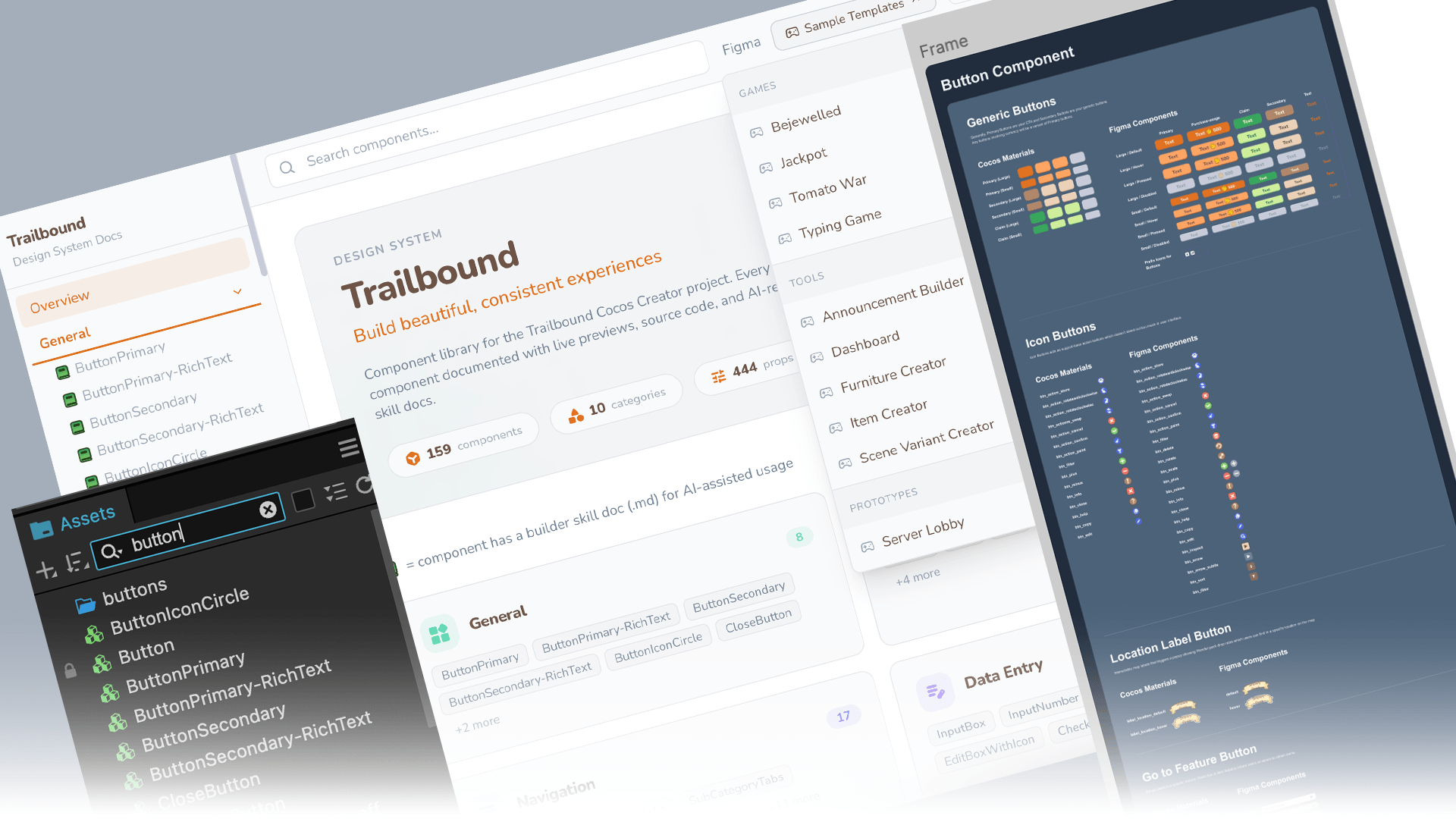
What This Is
An ongoing design system migration, transitioning from Figma-only component libraries to a web-based, token-driven system that both humans and AI agents can consume reliably. The focus is on establishing the pipeline and validating the approach.
What This Is Not
- • Not a shipped product redesign
- • Not a replacement for Figma in the design workflow
- • Not a one-time migration. The system evolves with the product
Context
As a company, building for multi-platform products has always been a key objective. At the same time, the rise of AI agents introduced a new challenge: How do we ensure consistency not just across platforms, but also across human-designed and AI-generated interfaces?
My Role
While this initiative is discussed and aligned within a 2-person design team, I drive the exploration and execution independently, covering design, system thinking, and the AI translation pipeline.
Designed For
Non-designers
Anyone who wants to prototype fast while staying within the established art style
UIUX designers
Avoiding human errors in component usage, UX writing, and any standardization that used to be manual and error-prone
AI agents
Consuming components deterministically without creating conflicting duplicates
Problem Signals
Component ambiguity
Structures not always machine-readable
Implicit spatial rules
Padding & alignment inferred visually, not explicitly
Styling mismatch
Layer effects lack code-aligned definitions
AI Agent Failures
- • Inaccurate layout reconstruction
- • Misinterpreted component hierarchy
- • Inconsistent styling rule application
- • Even with Claude + Figma MCP integration
Key Insight
A design system that cannot be reliably interpreted by AI becomes a bottleneck in an AI-first workflow.
Hypothesis
If a design system is
- Web-based
- Token-driven
- Structured like code
Then AI agents can
- Read components deterministically
- Reconstruct layouts accurately
- Generate features within design rules
Foundation
From canvas to system
Instead of relying solely on Figma as the source of truth, I began transitioning the design system into a web-based format using Ant Design as a structural reference. I started with tokens, then encoded design rules directly into the system.
Web-Based System
- • Components as documented, inspectable entities
- • Rules explicit rather than implied
- • AI agents consume the system reliably
Tokenization First
Tokens form the “grammar” of the system: the most portable, machine-readable layer that both humans and AI understand.
- • Colors
- • Spacing
- • Typography
- • Border radius / elevation
Encoded Design Rules
The 4-point grid system (all spacing, sizing, and alignment in multiples of 4) is now enforced by tokens, not by memory.
- • Spacing tokens enforce 4-point increments
- • Components built only using valid values
- • AI agents inherit constraints automatically
What Changed
4-Point Grid System
Previously
- • Applied manually by designers
- • Checked manually within Figma files
- • Human error and inconsistency across teams
Now
- • Spacing tokens enforce 4-point increments
- • Components built only using valid values
- • AI agents inherit constraints automatically
Component Definitions
Previously
- • Visually consistent but structurally ambiguous
- • Layer effects inferred from canvas inspection
- • Variants documented separately from implementation
Now
- • Components are logically reproducible, not just visually consistent
- • Layout rules made explicit in code
- • Variants and states are standardized and machine-readable
Insight
Design systems are evolving from “libraries for designers” to “APIs with enforced constraints for AI agents.” The system no longer suggests good design practices. It enforces them by default.
Pipeline
Bridging design tools and AI workflows
To bridge the gap between traditional design tools and AI workflows, I introduced a translation pipeline, then used it to reconstruct components with tokens, explicit layout rules, and standardized variants.
Figma
Source of existing designs
Pencil.dev
AI-first canvas with structural translation
Claude
Interprets and reconstructs components
Reading from Figma
Getting Claude to accurately read and reconstruct components from Figma was a known challenge. Spatial relationships were inferred, component hierarchy was ambiguous, and styling details were frequently lost in translation.
Reading from Pencil.dev
Getting Claude to read the same components from Pencil.dev was a breeze. The structured output meant AI agents could interpret components deterministically: no guessing, no ambiguity, no reconstruction errors.
Insight
Pencil.dev acts as a “lingua franca” between visual design and AI reasoning. The goal is to make components not just visually consistent, but logically reproducible.
Web-Based Design System: Figma & CocosCreator Integration
This project is built with CocosCreator, not a standard web app. For AI agents to build features reliably, the design system has to mirror Figma's design components and map to CocosCreator's existing prefabs. This way, agents know which scripts and components already exist, and won't create conflicting duplicates.
The web version also shows live component previews with UI motions. Figma can't do this without entering present mode, so having previews here gives designers and non-designers a much clearer picture of how each component actually works.
Reducing Onboarding Friction
One-click MCP setup for AI agents
A design system is only useful if people (and AI agents) can actually start using it. To close the gap between landing on the site and having a working AI workflow, I used Claude to build a one-time MCP setup button placed in the top navigation.
The Problem
New users arriving at the ported design system website had no clear path to connect AI agents with the system. MCP configuration was manual, technical, and easy to get wrong, creating a barrier before anyone could experience the value of an AI-compatible design system.
The Solution
A prominent CTA in the top navigation, visible the moment users land, that handles the entire MCP setup in a single click. Built with Claude, it eliminates the technical setup barrier and lets users go from “first visit” to “AI agent connected” immediately.
Why Top Navigation
Placing the MCP setup CTA in the top navigation was a deliberate design decision. For a design system that claims to be AI-first, the ability to connect an AI agent shouldn't be buried in documentation. It should be the first thing a new user sees.
State-Aware Button
The button detects whether MCP has already been configured. On return visits, it transforms into a checkmark state, reassuring users that setup is complete without requiring them to remember. This prevents confusion and removes the cognitive overhead of wondering “did I already do this?”
First visit
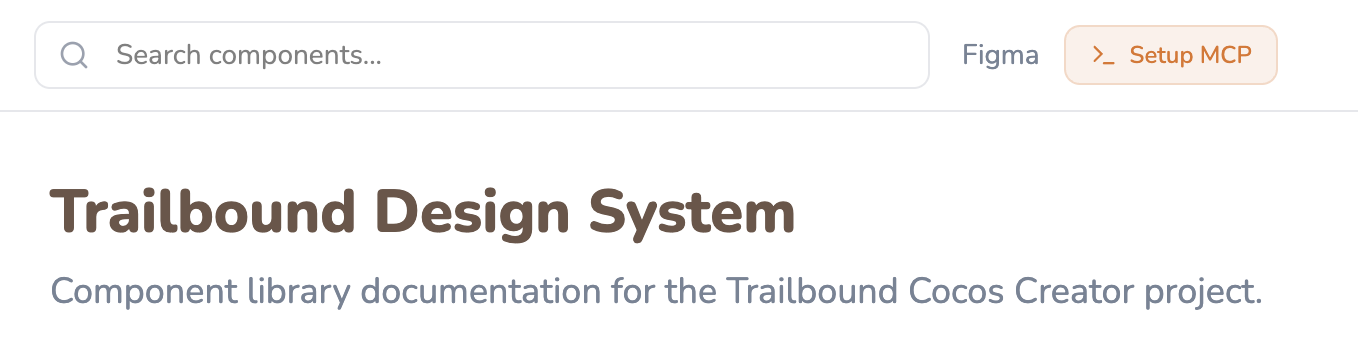
New users see a clear call-to-action to connect their AI agent in one click.
Return visit
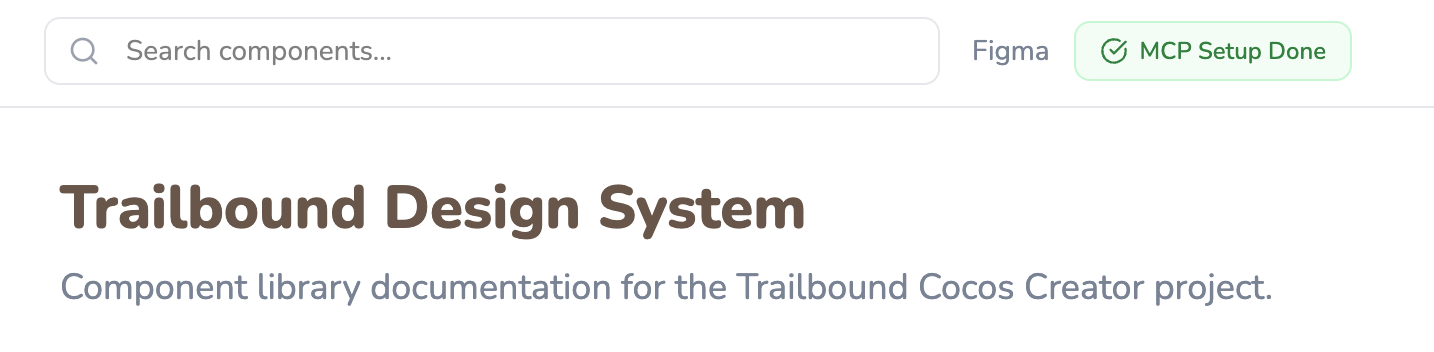
The site detects the MCP is already configured and shows a checkmark, so users never have to wonder.
Insight
If the design system is built for AI agents, then onboarding AI agents should be as easy as onboarding a human. One button, zero configuration, immediate value. On the next visit, clear confirmation that you're already set up.
Current Status
Where the system stands today
159
Components Ready
Each component carries not just visuals but Cocos Creator metadata: which prefab it maps to and which script is attached, across 10 categories. This prevents AI agents from creating conflicting duplicates of components that already exist as scripted prefabs in the engine.
444
Props Documented (.md)
Every prop is documented as a machine-readable skill file, giving AI agents precise, scoped context per component instead of forcing them to infer usage from screenshots, cutting wasted tokens spent on guesswork and re-reads.
1-click
MCP Setup
AI agent connection time reduced from ~15 minutes of manual configuration to a single button click in the top navigation, with state detection on return visits.
Stress-Testing the System
Validated by building real things with it
Documentation alone doesn't prove a system works. To pressure-test component coverage, naming, and AI-readability, I used the system to build a library of sample games and internal tools, all assembled from the same component set, then collected them in a “Sample Templates” dropdown on the site.
Games & Tools as Proof of Coverage
Bejewelled, Jackpot, Tomato War, and a Typing Game alongside internal tools (Announcement Builder, Dashboard, Furniture Creator, Item Creator, Scene Variant Creator) and a Server Lobby prototype were each built using only existing components and tokens.
Every gap found while building these (a missing variant, an undocumented prop) fed directly back into the component library, closing the loop between “documented” and “actually usable.”
Theming for a SaaS-Ready Look
I tested multiple theme presets (Default, Trailbound, Tatsuverse) on top of the same token set to deliberately move the visual language away from a heavily gamified look toward something closer to a SaaS product, without touching component structure or props.
That separation between “structure” (tokens, components, props) and “skin” (theme) is what makes the system portable across both game UI and more enterprise-style product surfaces.
Insight
A component library is only as strong as what's been built with it. Using the system to ship 8+ working games, tools, and prototypes across themes turned “159 components” from a number into a tested claim, and surfaced the documentation gaps that would otherwise burn AI tokens on trial-and-error.
Outcome
A portable, AI-compatible design system approach
What Was Established
• AI-compatible design pipeline
Figma → Pencil.dev → Claude. Component reading went from unreliable to deterministic
• System-enforced constraints
4-point grid and component rules encoded into tokens, eliminating manual review overhead
• Cocos-aware component library at scale
159 components across 10 categories, each carrying prefab and script metadata to prevent AI-generated duplicates
• 444 documented props as AI skill files
Per-component .md docs give agents scoped, precise context, reducing token spend on guesswork and re-reads
• Validated through real builds
8+ games, tools, and prototypes built from the system, feeding gaps back into the component library
• Theming decoupled from structure
Multiple theme presets tested to shift from a gamified look to a SaaS-ready visual language without changing components
• MCP setup time: ~15 min → 1 click
One-time setup button in top navigation with state-aware return visit detection
• Cross-team adoption
Framework shared with 1 additional designer to replicate and extend into website use cases
Adapting Across Contexts
Not all interfaces behave the same. Discord embed game interfaces are highly constrained and interaction-driven, while web/enterprise interfaces follow structured, scalable patterns. Rather than duplicating components, the system ports logic across contexts:
- • Discord-based system used as foundation and proof of concept
- • Principles (tokens, rules, constraints) translated to structured environments
- • Learnings shared to extend into website use cases
- • System logic is portable; components are context-specific
Reflection
This project is not just about rebuilding a design system. It's about redefining how design systems behave across platforms, contexts, and now, creators: both humans and AI.
Even within a small team, the shift is clear: design is moving from creating outputs to defining systems that others (and AI) can build upon. The challenge isn't just making things look right. It's making rules that ensure things are built right, regardless of who or what is building.
What surprised me most was how much clarity came from encoding previously implicit rules. The 4-point grid was always “a best practice,” but the moment it became a system constraint, it stopped being a thing designers had to remember and became something the system guaranteed. That shift in responsibility, from human discipline to system enforcement, changed how I think about design system value.
And sometimes, that shift starts quietly. One system, one rule, one translation layer at a time.
As this work continues, the next milestone is to scale beyond foundational components into more complex UI patterns like forms, navigation systems, and multi-state interactions, and validate how well AI agents can assemble these reliably across both Discord and web-based product surfaces.